
Menus & Footers
The header navigation and footer links customers use to move around the site.
Menus controls the header navigation at the top of every page. Footers controls the links at the bottom: support links, policy links, and social profiles. Both support drafts, and both appear on every page of the site, so small edits are very visible.
Update a link
Open Menus (header) or Footers (bottom of page) and find the link group you need.
Edit the link text and destination. Keep text short and literal, like "Services", "Book pickup", or "Contact". Never use "Click here".
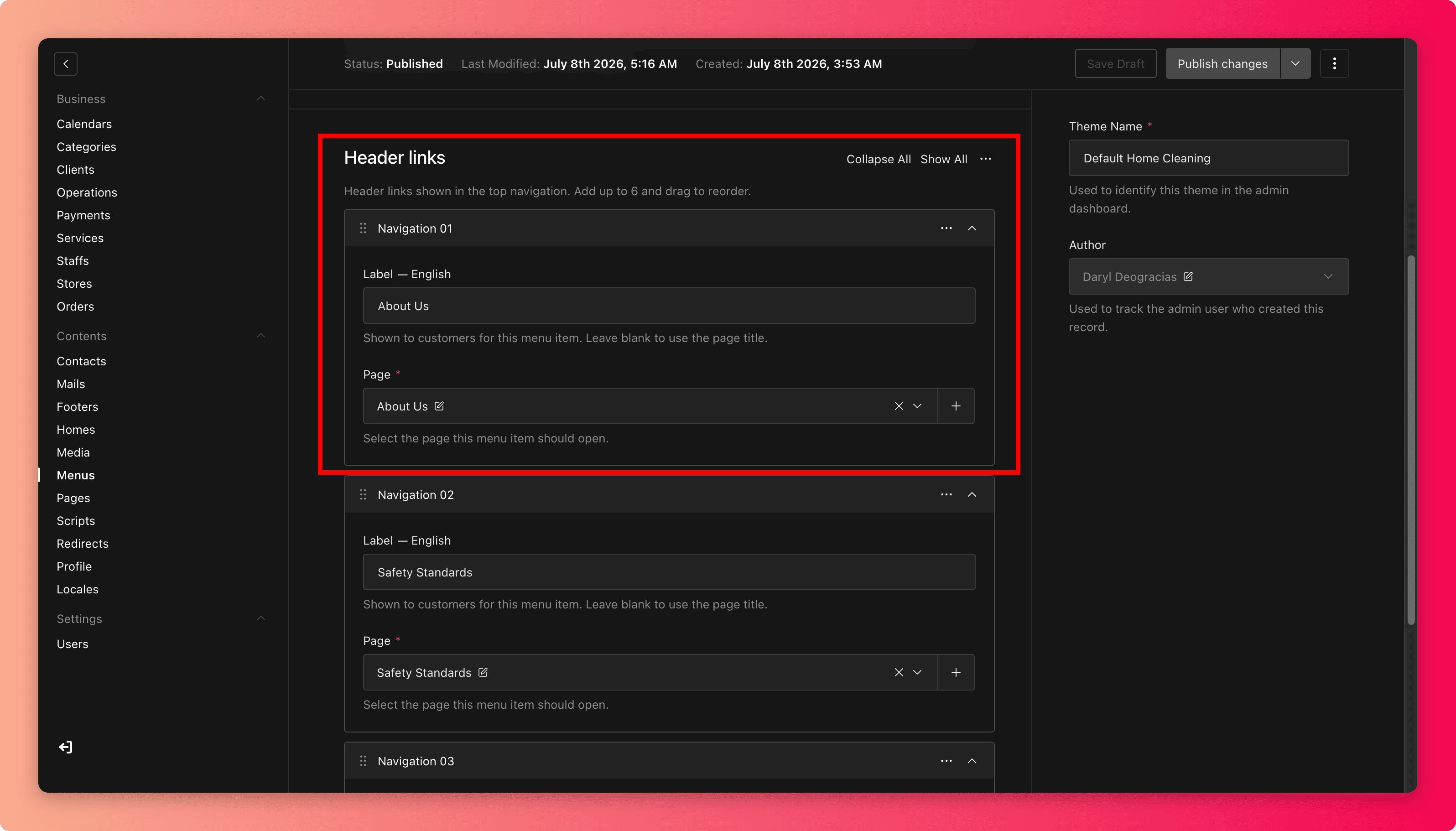
Open the destination yourself. It should be a live page that matches what the link promises.
Save draft and preview, then Publish. Check the header or footer on a phone, because mobile navigation is where crowding shows first.
Good navigation habits
- Fewer, clearer items beat complete coverage. The menu is for the paths most customers need, and the footer can carry the rest.
- Group footer links by what customers are trying to do (learn, get help, follow you) rather than by internal department.
- When a page is renamed or its address changes, update its menu and footer entries in the same sitting.
Common mistakes
- Linking to a page that is still a draft, which shows customers an error.
- Leaving a promotional link in the menu after the promotion ends.
- Adding social links that point to the wrong or an abandoned profile.
- Ten top-level menu items on a phone screen. If it needs scrolling, it needs pruning.