
Stores
Manage each branch's contact details, location, service area, operating hours, staff, and service modes.
Stores are your branches. Store details appear on the website, in booking (which store a customer picks and when it is open), in checkout, and in order confirmations.
What a store contains
| Tab / section | What it controls |
|---|---|
| Information | Branch name, email, contact number, and location: the address, the map pin, and the service area radius (how far from the branch home service reaches, in km) |
| Override location | An optional hand-written address shown to customers, useful when the map pin is right but the formatted address reads oddly |
| Operating hours | The weekly schedule. Each day is either Closed or has an Open time and Close time. |
| Staffs | Which staff members work at this branch |
| Service modes | Whether this branch offers In-store service, Home service, or both |
| Timezone & Holidays | Which calendar governs this store's timezone and holiday closures |
Change regular operating hours
Open the store and go to Operating hours. Confirm you are in the right branch by checking the name at the top.
Edit the day rows. Mark a day Closed, or set its open and close times.
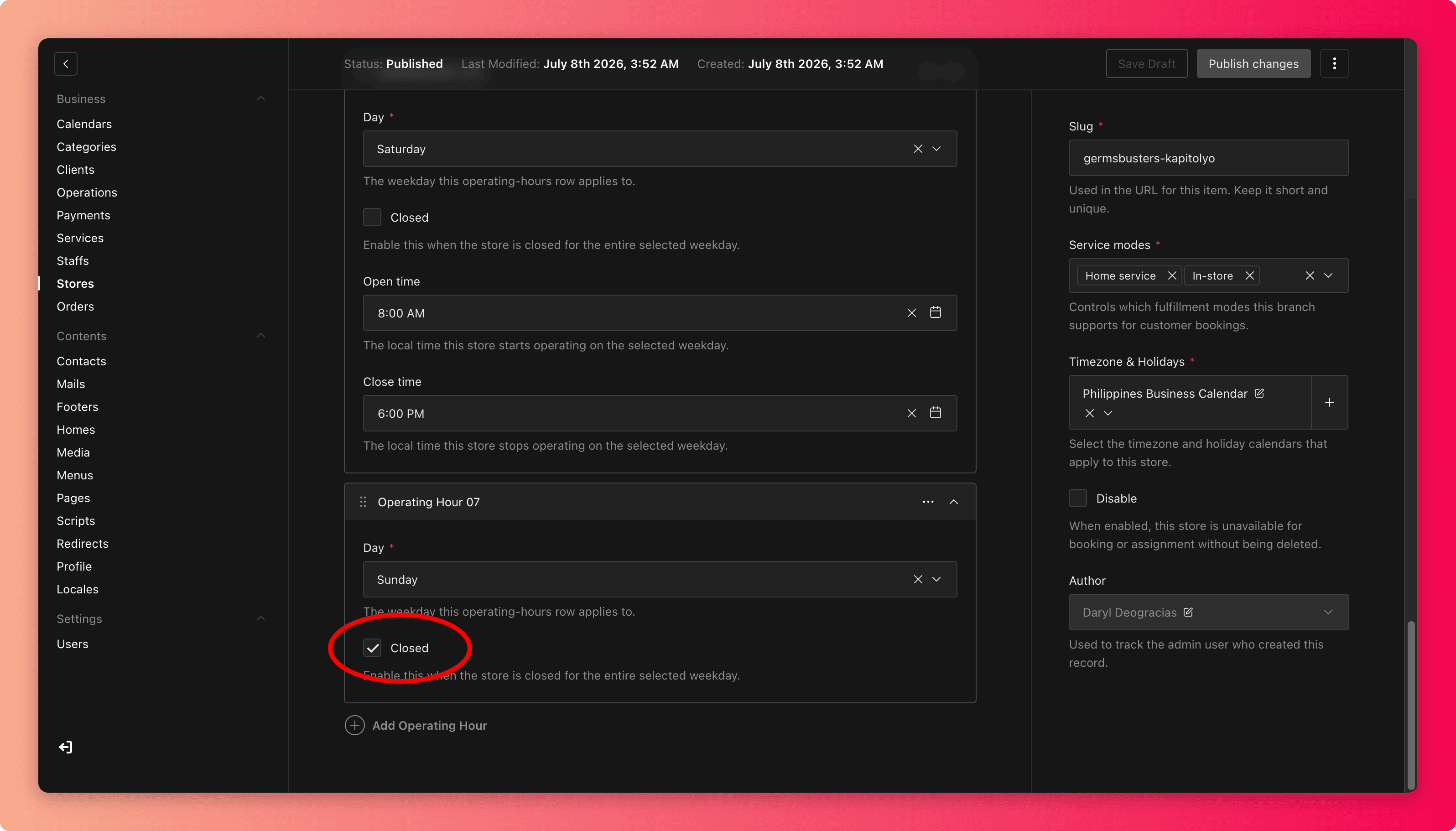
Save, then check the store's page on the website and try booking a slot near the new opening and closing times.
Hours vs. holidays
Operating hours are the weekly pattern. One-off closures, such as holidays or renovation days, belong in Calendars, where they block booking for specific dates without touching the weekly schedule.
Moving or updating a branch
When an address, phone number, or email changes:
- Update the location and check that the map pin actually sits on the new address.
- For home-service branches, review the service area radius, because a new location covers a different circle of customers.
- Check Business Info and any pages that mention the branch, so the old address does not linger elsewhere.
Common mistakes
- Editing the wrong branch when several have similar names.
- Changing weekly hours to handle one holiday. Next week the store shows closed again. Use a calendar holiday instead.
- Publishing a new address with the map pin still on the old one. Customers navigate to the pin, not the text.
- Setting a generous service radius the team cannot actually cover, then failing home-service bookings at the edge of it.
- Leaving no staff assigned to a branch, which can make its services unbookable.