
Customers
Look up customer accounts, check their order history, and keep their details correct.
Clients holds your customers, the people who create accounts, book services, and pay. Customer accounts are created automatically when someone signs up on the website, so you will rarely create one by hand.
What a customer record contains
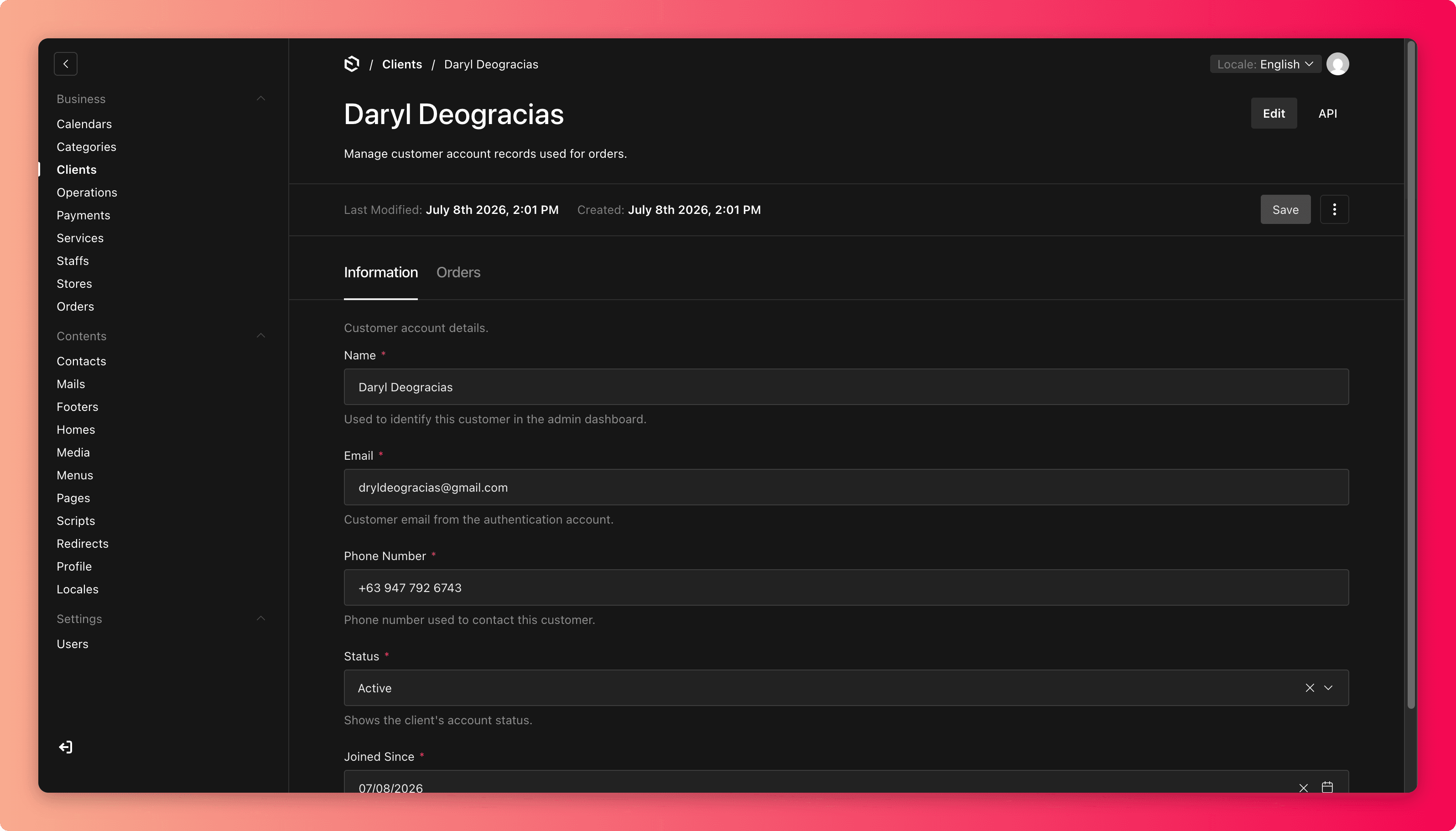
- Information shows the name, email, phone number, account status, and the date they joined. The email comes from the customer's own sign-up, so treat it as theirs to change, not yours.
- Orders lists every order this customer has placed. This is the quickest way to answer "what did I book?" support questions.
Finding the right customer
Search by name, email, or phone number. When two customers share a name, confirm with the email or phone before opening the record. The most common support mistake is reading the wrong person's history.
Account status
Each customer is either Active or Archive. Archiving is the polite way to retire an account without deleting anything, and the order history stays intact.
Customer data is private
Treat everything here as confidential. Never copy customer details into pages, emails, or notes that other customers could see, and never share them outside the business.
Common mistakes
- Editing the wrong customer with a similar name. Verify the email first.
- Deleting a customer instead of archiving. Deleting is permanent and orphans their order history.
- "Fixing" a customer's email or phone without them asking. These are their contact details, so change them only on the customer's request.