
Scripts
Advanced code snippets that run on the website. The one area where the answer is usually "ask first".
Scripts lets code snippets (for example, an analytics or marketing tag) be added to the website. It exists so tools can be connected without a developer editing the site, but it is the most powerful and least forgiving area in the admin.
Treat this area as ask-first
A script runs on every visitor's browser. A wrong or malicious script can break the site, slow it down, or quietly collect customer data. Never paste a script someone sent you in an email or chat, even if it looks official, without confirming it with your developer or support contact. This is a common scam pattern.
If you have been asked to add a verified script
Only proceed when you know who needs it, what it does, and it has been confirmed as safe:
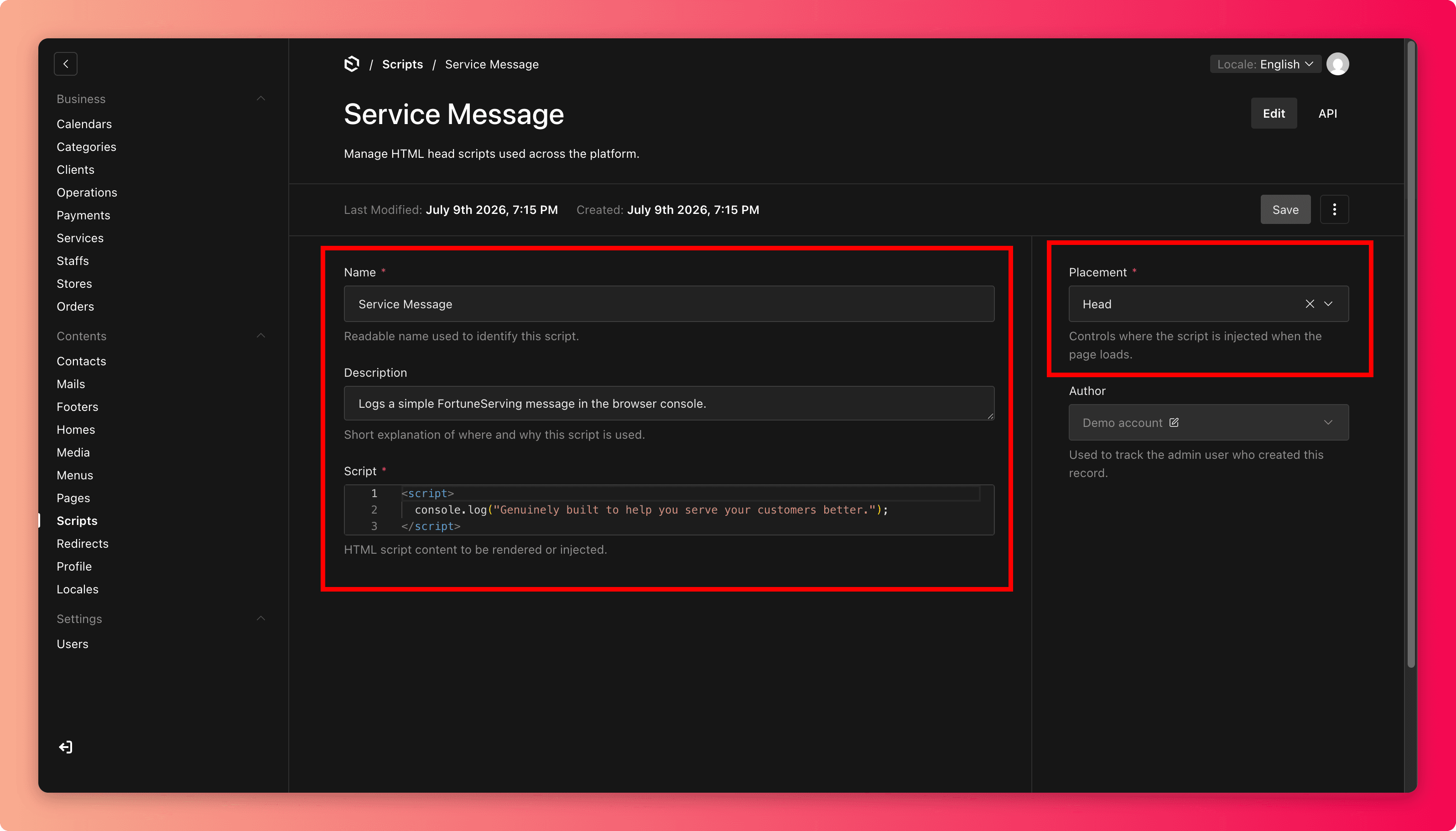
- Give it a clear name and a description saying what it is for and who requested it ("Google Analytics, requested by marketing, Jan 2026").
- Paste the snippet exactly as provided into the script field.
- Set the placement the provider's instructions specify (Head or Body).
- Save, then open the website and click through a page, a service, and the booking flow to confirm nothing looks broken or slower.
Housekeeping
- Remove scripts for tools you no longer use, because every script slows the site a little.
- Never add the same tool twice. Check the list before adding.
- There is a limit of 20 scripts. If you hit it, that is a sign to clean up, not to squeeze more in.
Common mistakes
- Pasting a snippet from an unsolicited "your site needs this fix" message. That is how sites get hijacked.
- Wrong placement (Head vs. Body). Follow the tool's instructions exactly.
- Leaving a campaign's tracking script running years after the campaign.